
Cranberry Portal

Sign in
If you were a user of the previous version of the application and are having trouble logging in because you do not have a Rutgers CAS account, please contact ithelp@research.rutgers.edu for access to the Cranberry Portal.
To set up a guest NetID, follow these two steps:
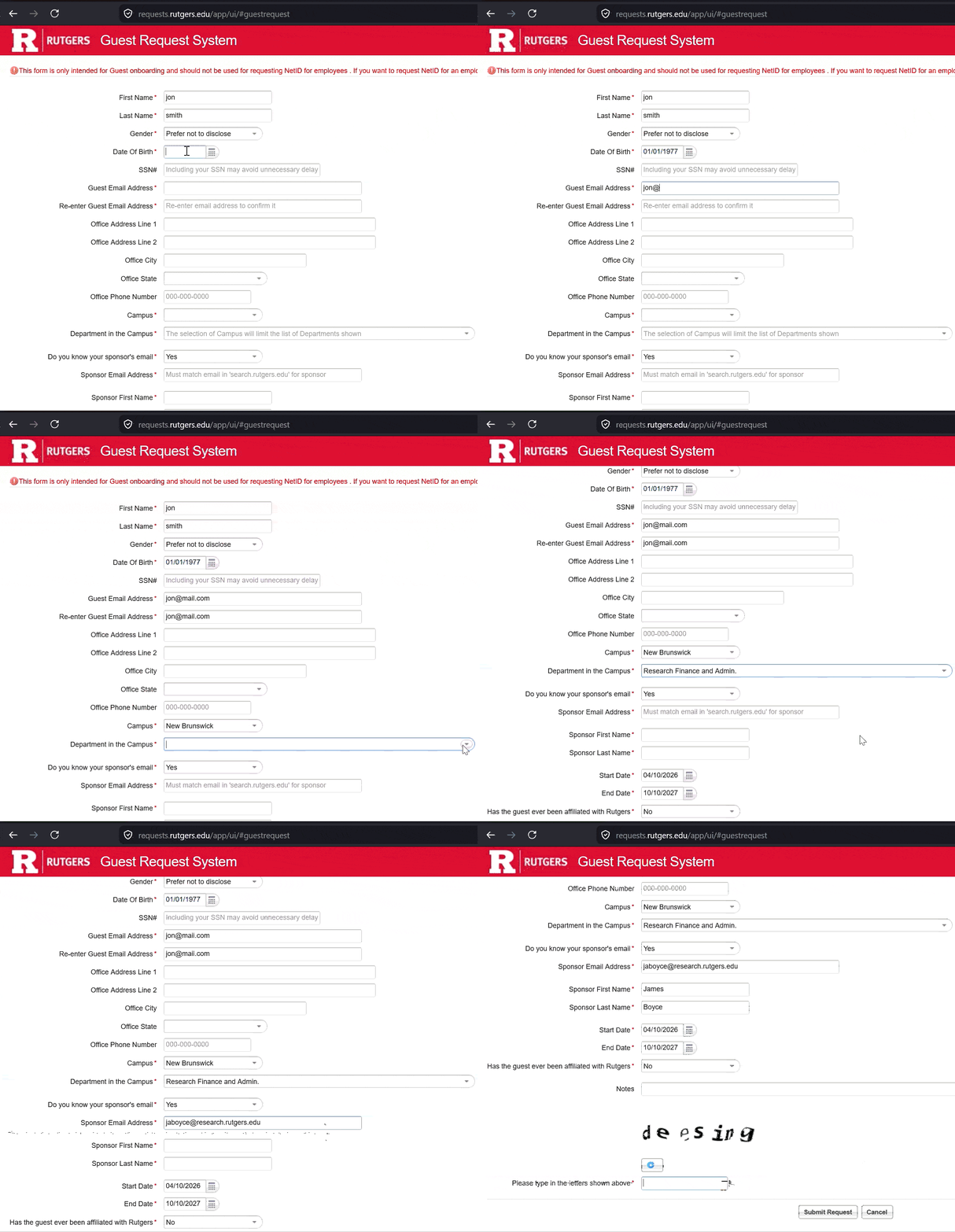
- Go to the Guest Request Form and click "Submit a Request as a new Guest".
- Fill out the following asterisk-marked fields (no SSN needed):
- First name & Last name: IMPORTANT: Use your real physical name, not a company name. Accounts and passwords must not be shared.
- Gender & Date of birth
- Guest email address (The email you wish to receive communications at)
- Campus: New Brunswick
- Department on campus: Research Finance and Admin
- Do you know your sponsor's email: Yes
- Sponsor's email address:
jaboyce@research.rutgers.edu(This should autopopulate the start and end dates)
It may take a couple of days for your new guest Rutgers NetID to be ready. You will receive a notification when approvals are complete.
- Visit the NetID Management page.
- The system will assign you a pseudo SSN via email to activate your account.
- You will be asked to set up DUO for multi-factor authentication. More details can be found here. While DUO provides a mobile app, you may also simply use a personal phone number to receive a text message for authentication.
Upcoming Office Hours
Business leads will be hosting virtual office hours on [Date & Time Window Placeholder] to assist with onboarding and answer portal questions. Access links will be provided soon.
Go to the following website to reset your password:
https://netid.rutgers.edu/displayForgottenPasswordForm.htm
or call 732-445-HELP(4357)